PayPal Registration: Create Your Account Step-by-Step
PayPal powers the world of secure online payments, allowing you to manage your finances safely and quickly online. Creating a personal (individual) PayPal account is completely free and only takes a few minutes. Below, we’ll show you how to set up your own account and easily link your bank card.
Creating a Personal PayPal Account
The free PayPal registration takes place via the official website. You will need a valid email address, a password, as well as your personal and address details.
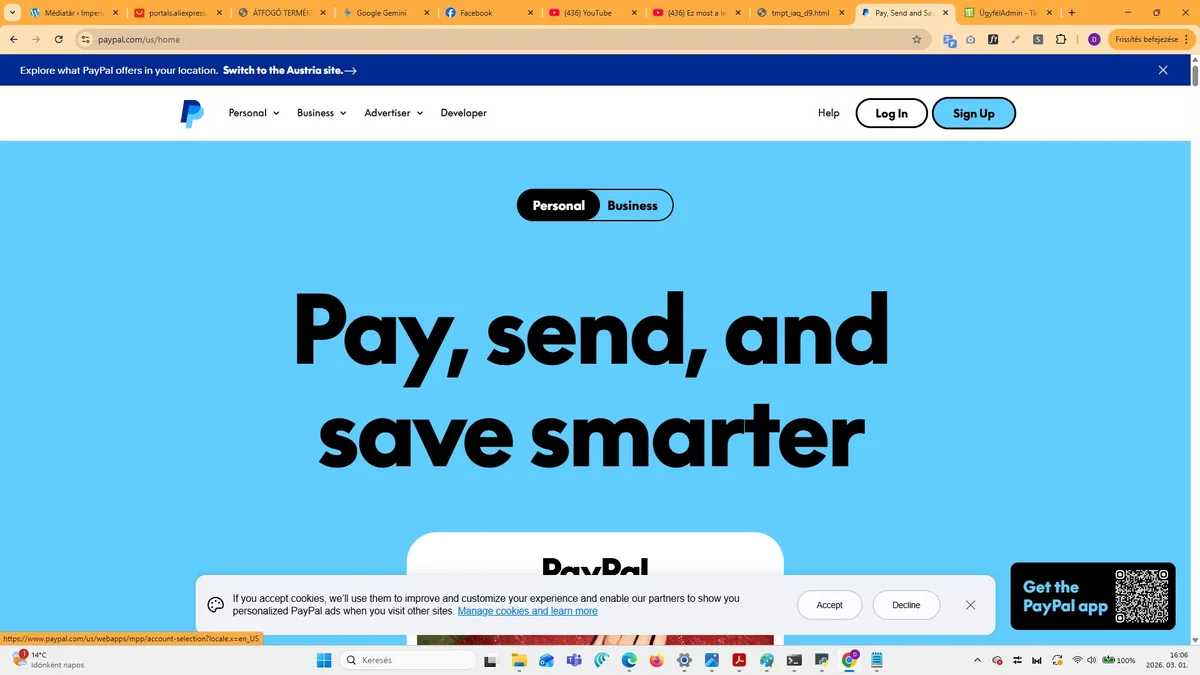
- Visit the official PayPal.com website, then click the “Registration” or “Sign Up” button in the top right corner.
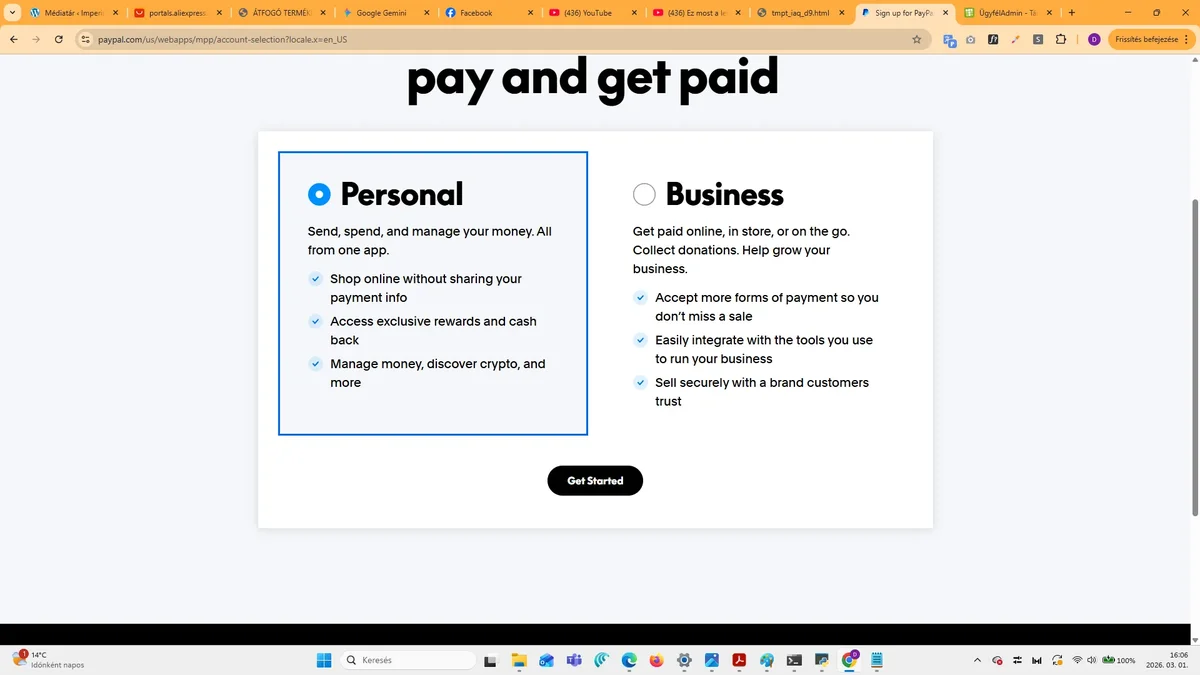
- Choose the “Personal Account” option. Enter your country (e.g., Hungary), then click the “Continue” button.
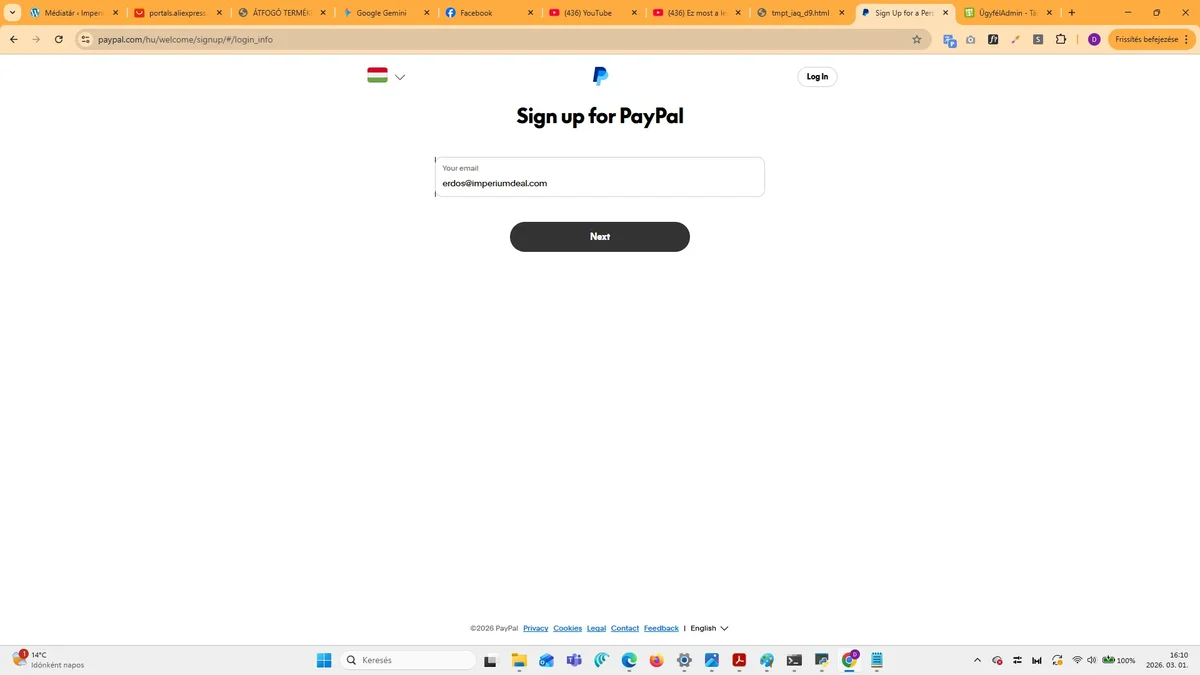
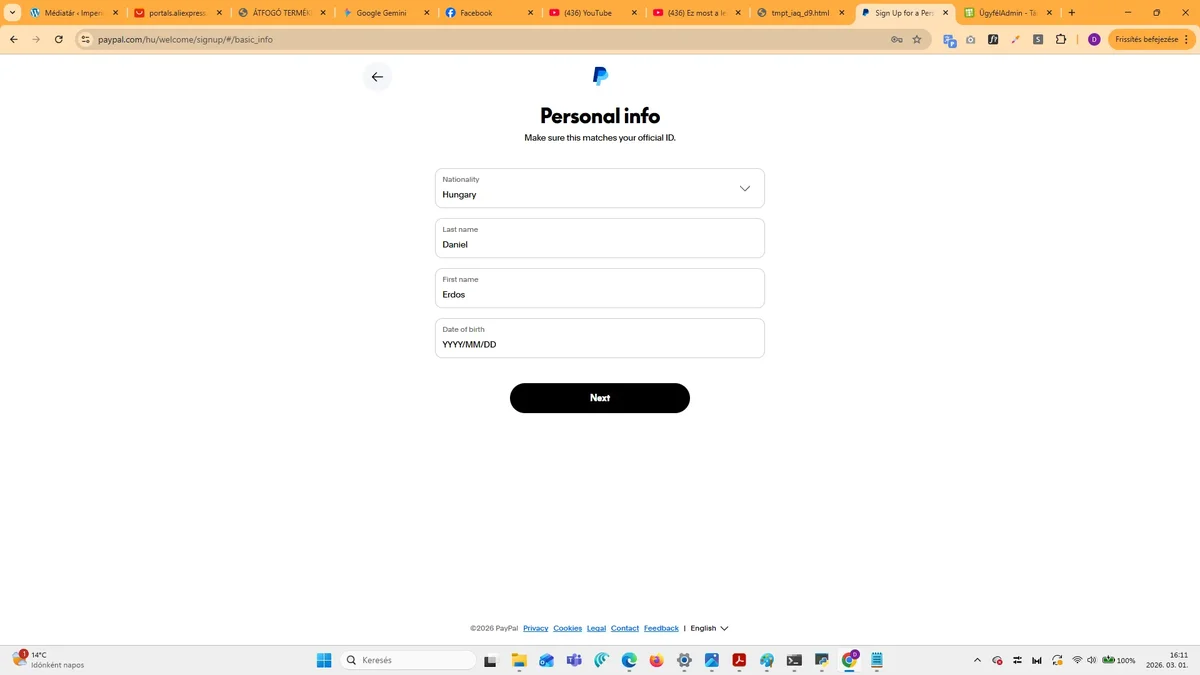
- Fill in your personal details: first name, last name, email address (you will use this for login), and a password (minimum 8 characters, lowercase and uppercase letters, numbers, and special characters recommended for security).
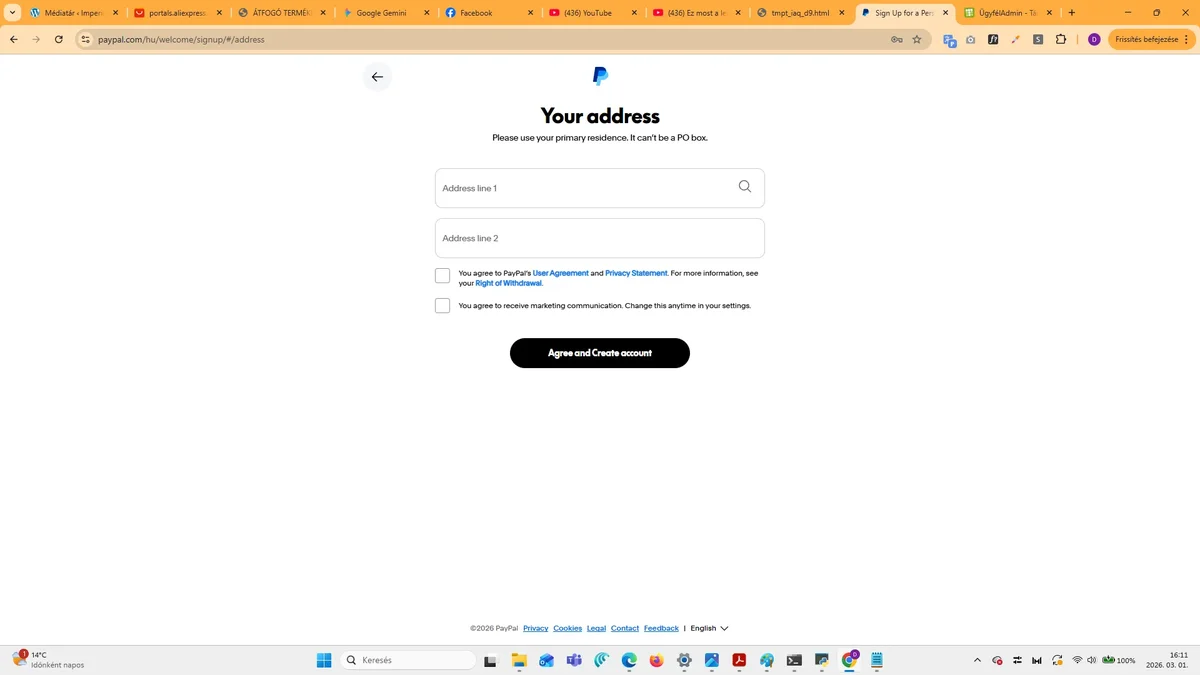
- Enter your address: street, house number, floor/apartment number (optional), city, and postcode.
- Enter your date of birth and phone number. The latter is mandatory for mobile verification, during which you will receive an SMS code.
- Accept the terms of use, enter the CAPTCHA code (if required), then click the “Registration” or “Sign Up” button.
- Check your emails: PayPal will send a confirmation link. Click on it, then log in with your password to activate your account.
Adding a Bank Card to Your PayPal Account
“Tip: create a Revolut virtual card for your PayPal! Since you only put as much money on it as you need, you give phishers no chance. Register with a few clicks!”
To be able to shop or send money via PayPal, you need to link a bank card to your account. This process can be done immediately after successful PayPal registration.
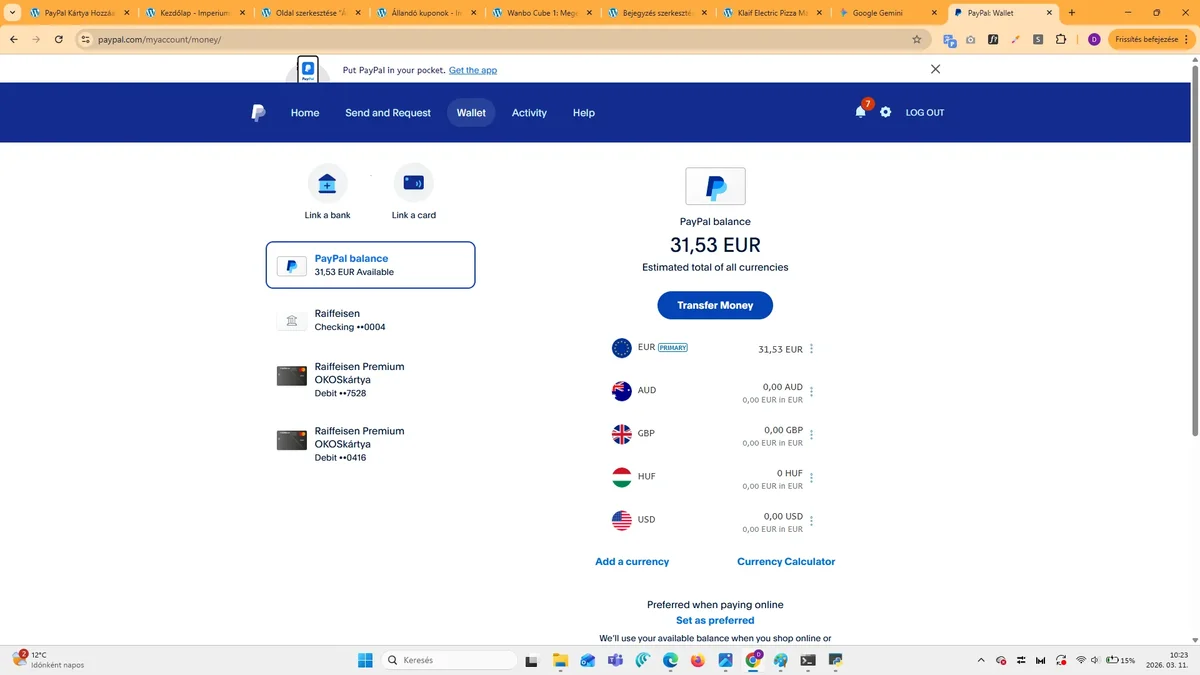
- After logging in, scroll down on the homepage, or look for the “Send Money”, “Shop”, or “Link Card/Wallet” option.
- Choose the “Add Bank Card” or similar button.
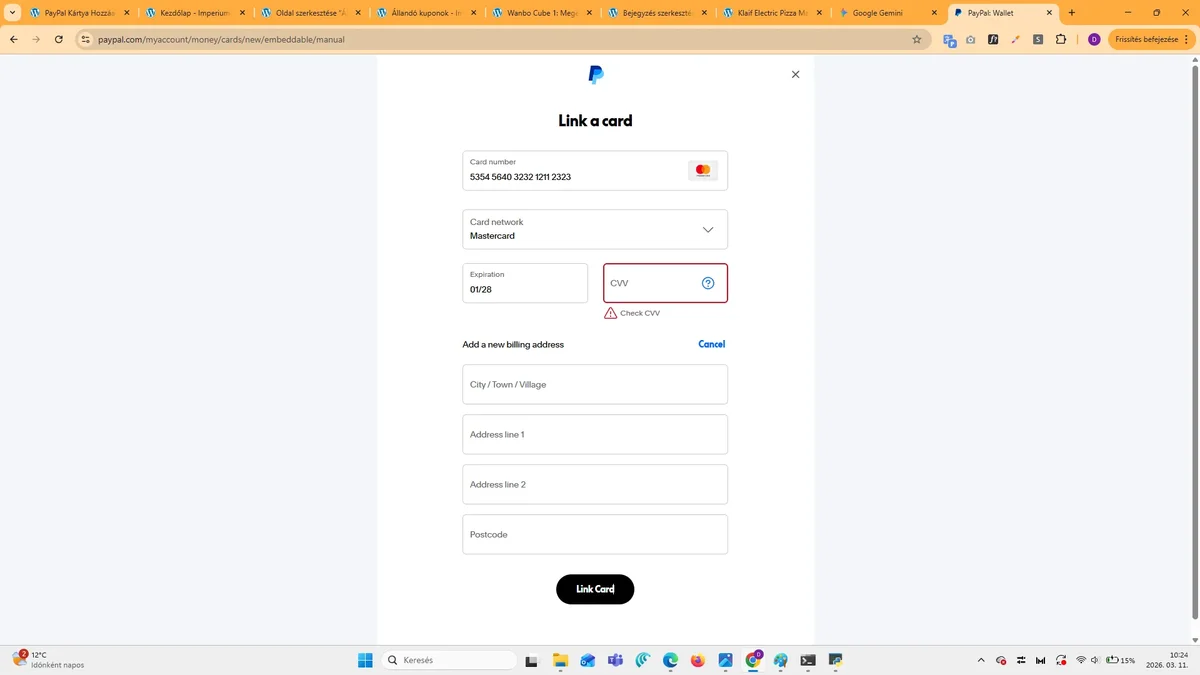
- Enter your card details: card number, card type (Visa/Mastercard/Maestro), expiration date, security code (CVV, on the back of the card), as well as the billing address (this must match your bank details).
- Submit the data. Your bank may request further verification (e.g., with an SMS code or mobile app notification, 3D Secure). PayPal may sometimes deduct a small amount from the card for verification purposes, which it will later refund.
- After successful confirmation, the card can be used immediately.
Important Tips for Secure PayPal Use
During PayPal registration and use, security is paramount. Always use a strong, unique password that includes uppercase and lowercase letters, numbers, and special characters. Make sure you have provided real data during registration, as PayPal may request verification. It is also advisable to activate two-factor authentication (2FA) with your phone number, which provides an extra layer of protection. If you have any problems or questions regarding your PayPal account, do not hesitate to contact PayPal customer service, which you can usually find at the bottom of your account under the “Contact Us” menu item. Account management and card linking are similarly easy in the mobile app.